The Lock Screen and notification shade card
The card follows what the speaker is doing: a TV card for a room on TV, a music card with the title, artist and the playback buttons for a room playing music. Under the controls are the room’s three sound presets, by name. Tap one to apply it. If the card is small, expand it for the full set of controls.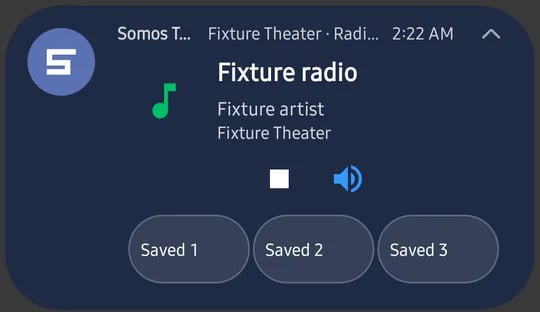
The notification shade card for a music room, with the room's three presets under the controls. Test room and example data.
Home Screen widgets
Add a widget the usual Android way: long-press the Home Screen, choose Widgets, and look for Somos. There are three:- Somos – Presets for a room’s preset buttons
- Somos – Mute for a one-tap mute
- Somos – Rooms & Volume for switching rooms and changing volume
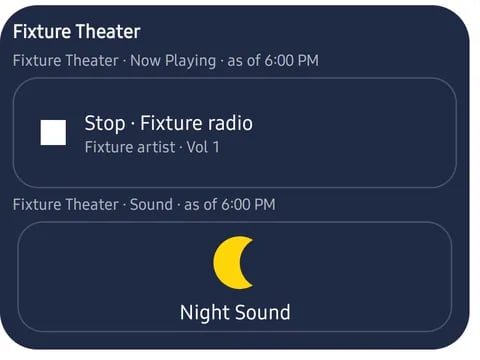
A Somos widget with the room's now-playing line and a Night Sound button. Test room and example data.
Android doesn’t have Siri or the Shortcuts app. See What is different on Android.