Sections, top to bottom
Rooms
Rooms
First on the menu. One row, See all and the number of rooms (for example See all 5 rooms), opens a pop-up with every room. Tap a room to switch to it. A room that Whole Home hasn’t opened has a lock beside it. To change the order of your rooms, press and hold a tab on the bottom bar. See Favorites.
Alarms
Alarms
Your Sonos® alarms: the list, with a switch on each, and a + to add one. Tap an alarm to edit it, swipe it left to delete it. The row is not shown in Demo Mode. See Alarms.
Whole Home
Whole Home
One row in its own box. Until you own it, the box has an Upgrade heading and the row reads Unlock Whole Home with the App Store’s price beside it. It opens the Whole Home page: what the one-time purchase adds, with Buy and Restore Purchases. Once you own it, the heading goes and the row reads Manage Whole Home. See Whole Home.
Your Sonos
Your Sonos
Opens a page with your Sonos® system’s name and generation (S1 / S2), or a switcher when there’s more than one — press and hold a system to rename it. Add a Home / New S1 or S2 System finds another system; Rescan My Network looks again for anything that didn’t show up. See Multiple Systems.Set a sleep timer is here too, for the room you have open. It opens a pop-up with Off, 15 min, 30 min, 45 min, 60 min and 90 min. While a timer runs, the row shows the minutes left. See Sleep Timer.
App
App
Opens a page with two rows: Somos settings and Apple Watch.Somos settings opens a pop-up with:
- Live Activity — Lock Screen and Dynamic Island controls, off by default. See Live Activity.
- Glass Live Activity: clear glass on the Lock Screen card, on by default. Turn it off for dark navy. The Dynamic Island keeps its system black background.
- Watch the intro: replay the introduction, or choose Read intro for the written guide.
- Haptics — the little taps you feel on slider steps and buttons.
- Appearance — System, Light or Dark.
- Pinch for volume — off by default. See Gestures.
- Swipe art to change songs — off by default. See Gestures.
- Room wheel — off by default. Spin a wheel on the bottom bar to pick a room, instead of tapping tabs. See Favorites.
- Open iOS Settings for Somos — jumps to the app’s own page in iOS Settings, where Local Network, Bluetooth and Apple Music access live.
Help & Support
Help & Support
Bookworm lives only in the menu, on its own line under Help & Support: Get help from Somos Bookworm. Tap it to open the help assistant on the Somos website in a browser sheet inside the app. Ask a question in your own words and it answers from this manual. See Somos Bookworm. Help & Support opens a page with:
- Settings Somos needs — the checklist of what must be true outside Somos: UPnP on in the Sonos® app, a VPN that allows your home network, the same Wi-Fi as the speakers, not a guest or IoT network. See If Somos can’t find your speakers.
- Watch the intro: replay the film whenever you want, with Read intro for its written guide.
- Getting Started and Feature Reference — open this manual inside the app.
- Visit our website — more support options and user input, on the Somos website in your browser.
Advanced Settings
Advanced Settings
One row, Advanced Settings, in its own box above About. It opens a page with two rows. They used to sit in the menu in boxes of their own:
- Submit diagnostics — shows the log on screen first, in plain words, so you see what you would send. Details lists what you changed, like “Office: sleep timer → 30 min”, and marks a change the speaker refused. Share sends it by mail, message or any other way, and Send to Somos (where Mail is set up) sends it to the developer. Use it when something went wrong. The log never holds a password, a sign-in token or your music. See Contact.
- Network health — one row per speaker: its room, model, wired or Wi-Fi band, how fast it answers and a verdict, with a plain-words summary. See Network Health.
About
About
The row carries the app’s icon. It opens a page with:
- Privacy & Trademarks — opens the privacy summary, trademark notice and the story behind the name.
- Version — the app’s version and build number, for example Version 1.1 (40.0.0). Handy when you contact support.
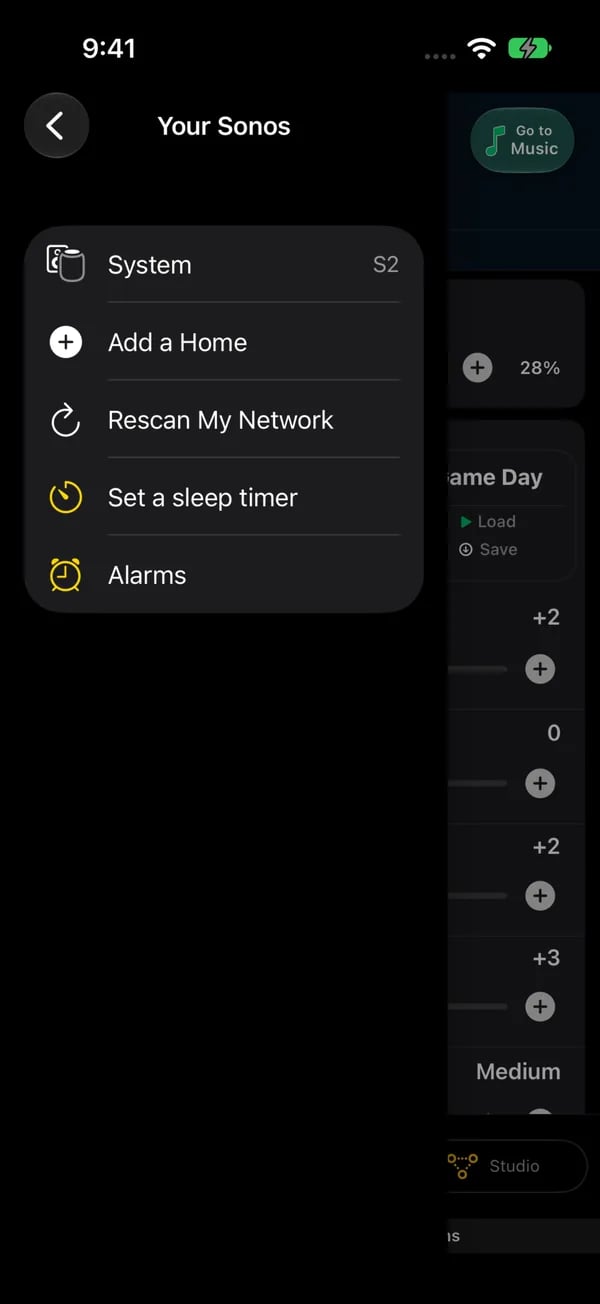
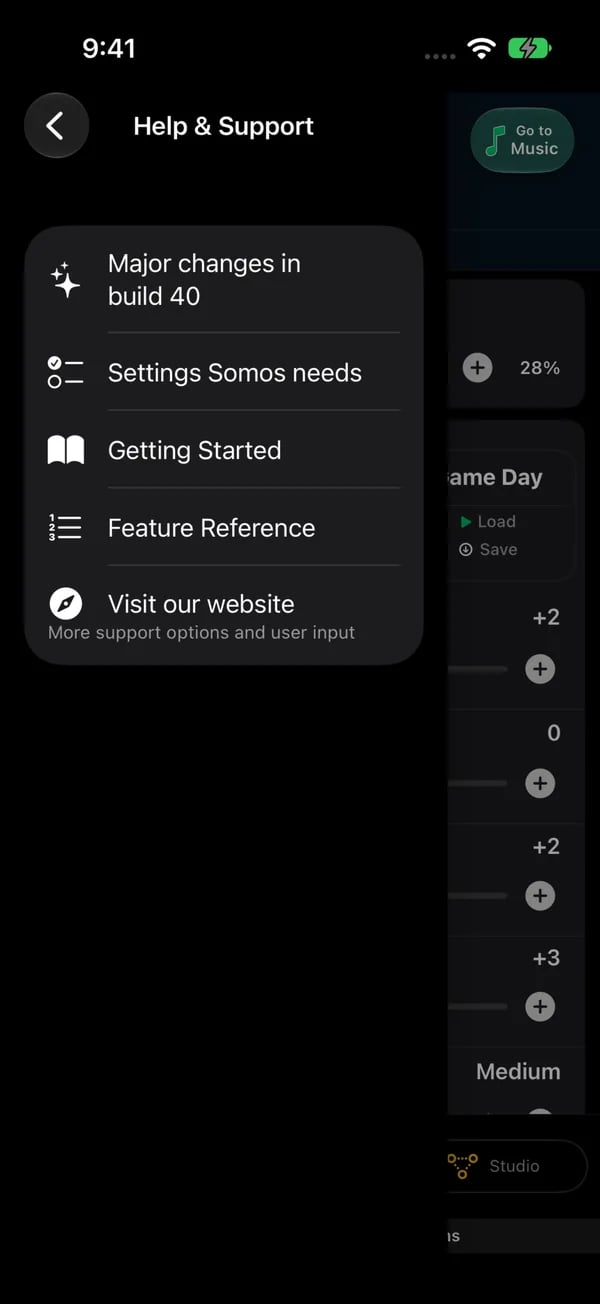
Two of the menu's pages on iPhone. Left: Your Sonos keeps the system actions together (System, Add a Home, Rescan My Network, Set a sleep timer, Alarms). Right: Help & Support (Major changes, Settings Somos needs, Getting Started, Feature Reference, Visit our website).